



Sponsorship note: This article was produced in partnership with Writer's Toolbox
A new handwriting upload feature from Writer’s Toolbox is set to make it easier for teachers to offer blended learning and reduce students’ screen time.
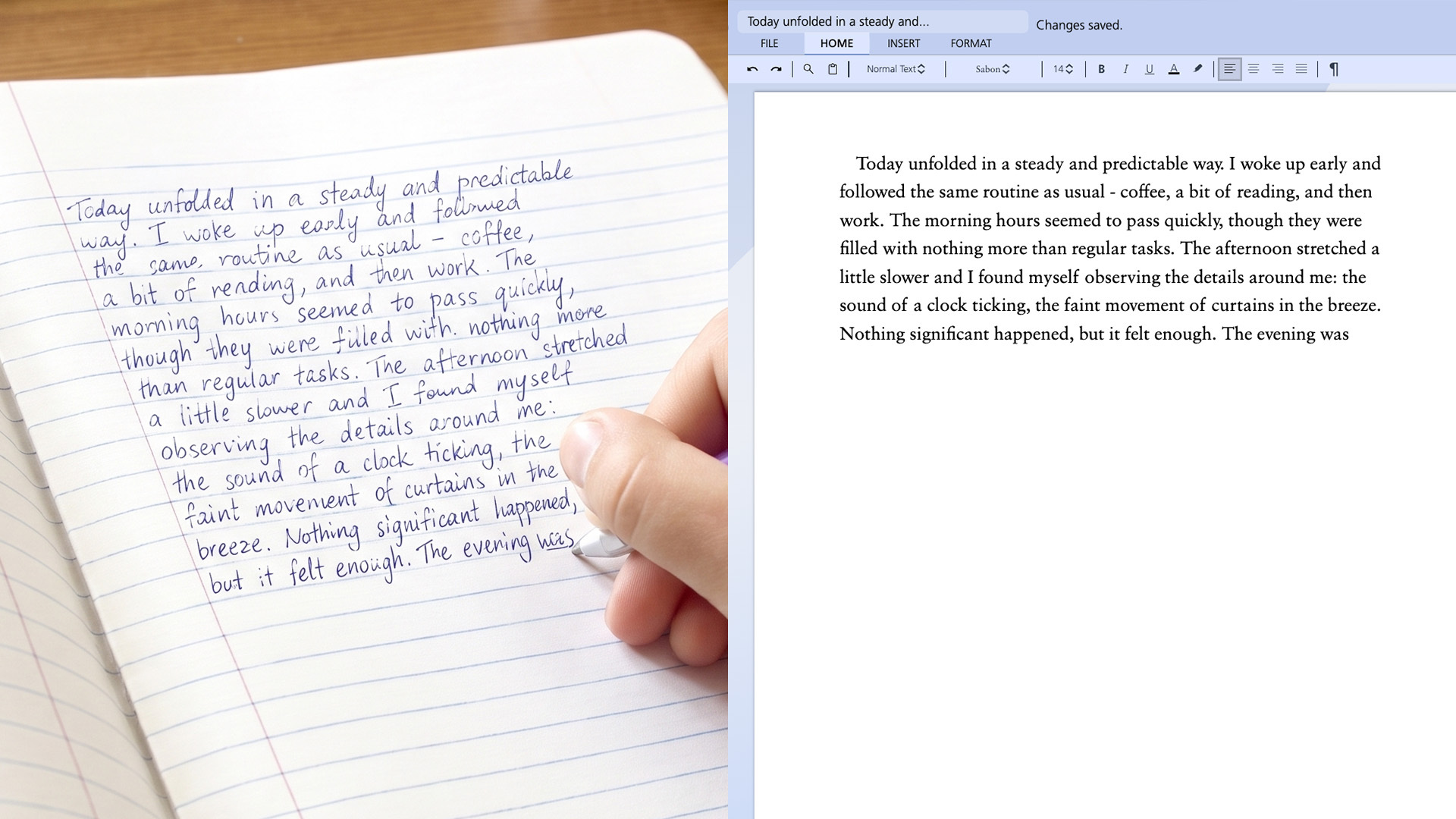
Students can now draft a piece of original work by hand, upload a photo into Writer’s Toolbox, and have their handwriting instantly converted into typed text. They continue to edit their work within the digital platform, receiving real-time, individualised feedback at their most teachable moments.
Teachers under increasing pressure
Writer’s Toolbox founder, Dr Ian Hunter, says the rollout couldn’t be more timely, with the NSW Government this week announcing guidelines that will soon limit students to as little as 15 minutes of screen time per day. This follows imminent screen limits in Victorian state primary schools, with a 90-minute limit becoming mandatory in 2027.
“Teachers have never been under this much pressure,” he said. “Parents, school leaders, and government stakeholders expect students to perform well in NAPLAN while simultaneously managing behaviour, limiting screen use, and stamping out plagiarism and generative AI.”
That relentless workload, Dr Hunter said, isn't easing anytime soon, and comes as Australia's standing in the latest round of international assessments faces renewed scrutiny.
“Last week, we saw that Australian students’ PISA scores in reading and maths have declined, adding more pressure to an already overloaded workforce. The trouble is, we’re demanding more from teachers than ever before, without showing them how to offer blended learning or mitigate the risks of a digital world,” Dr Hunter said.
Blended learning made easy
The new handwriting upload feature from Writer’s Toolbox makes it easy for teachers to combine off-screen handwriting with educational AI.
“The new feature allows teachers to return to pen and paper in their classroom, which helps students with metacognition, memory retention, and critical thinking. Students can use the same evidence-backed frameworks within Writer’s Toolbox while reaping the benefits of writing by hand, which reduces their cognitive load and activates more regions in their brain.”
Not only does this help teachers meet government guidelines around screen time, but it ensures students are submitting original work. It will also save time—teachers will spend less time marking student work and students won’t use class time to type up their handwritten notes.
Writer’s Toolbox can even make sense of messy drafts and scribbled or crossed-out text, using millions of data points to convert seemingly illegible handwriting into an accurate digital format. From there, it’s over to the student.
Educational AI in action
It would be remiss to speak about a new tool without addressing the growing concerns about AI use in schools, with many people arguing that AI has no place in education. While this view is understandable, it conflates generative AI with educational AI. So, what’s the difference, and why does Writer’s Toolbox only use educational AI?
In short, the issue with generative AI is that it does the work for students, making edits and improving their writing without showing them how to revise work themselves. The end product might be better, but students haven’t learned anything along the way. Educational AI is different, with Writer’s Toolbox making individualised suggestions whenever a student seeks feedback. It never gives answers or writes for the student. The new handwriting upload feature has been designed with this same ethos in mind.
If a student makes grammatical or punctuation errors in their original text, those are uploaded as is—not corrected. The tool won’t tidy up typos or grammatical errors in the process of digitising a piece of writing. Instead, students still need to spot and fix their own mistakes, just as they would with pen and paper, rather than offloading their thinking to a digital programme.
Handwriting builds the cognitive groundwork, while educational AI extends student learning with feedback rather than shortcuts. It means that students and teachers can realise the full benefit of off-screen and digital learning in one tool.
Schools using Writer’s Toolbox can access the handwriting recognition feature now.
Learn more at www.writerstoolbox.com/case-studies/handwriting-recognition